The construction communication app

Stop carrying every project in your head.

Walkie Pro keeps messages, calls, decisions, and follow-ups organized by job — and turns every call into a shared record for everyone on it. Familiar messaging and calling, built for GCs, PMs, designers, and trades.

Free for the field. Project-ready in 60 seconds.

Watch How It Works — 60 seconds

Download the app and invite your first collaborator.

The construction communication app

Stop carrying every project in your head.

Walkie Pro keeps messages, calls, decisions, and follow-ups organized by job — and turns every call into a shared record for everyone on it. Familiar messaging and calling, built for GCs, PMs, designers, and trades.

Free for the field. Project-ready in 60 seconds.

Watch How It Works — 60 seconds

Download the app and invite your first collaborator.

Walkie Pro Messaging

How it works

One call. Every job organized.

01

Start with the person you call most — the collaborator you already trade the most decisions with.

Start with the collaborator you call most

02

Connect your jobs. One conversation, a separate feed for each project you share. The kitchen stays out of the deck build.

One conversation with separate feeds for each job

03

Make a Walkie call. Everyone on it gets the recording, transcript, and a summary per job discussed.

Every call generates a recording, transcript, and summary

04

Close the loops. Mark what’s waiting on you and what’s waiting on them, assign list items, tag decisions. Then put the phone down.

Mark what you’re waiting on — private to you, kept with the job

Watch How It Works — 60 seconds

“Half my day is spent on the phone between the shop, the crew, and the GC. Now every call sits with the job it belongs to, so when someone asks what we agreed on the rooftop units, I don’t have to remember — I just pull it up.”

— Daniel, HVAC contractor

“Half my day is spent on the phone between the shop, the crew, and the GC. Now every call sits with the job it belongs to, so when someone asks what we agreed on the rooftop units, I don’t have to remember — I just pull it up.”

— Daniel, HVAC contractor

“Half my day is spent on the phone between the shop, the crew, and the GC. Now every call sits with the job it belongs to, so when someone asks what we agreed on the rooftop units, I don’t have to remember — I just pull it up.”

— Daniel, HVAC contractor

On iPhone and Android

Apple App Store

Google Play

Built by a construction manager

Designed around the calls, changes, follow-ups, and handoffs that keep real jobs moving.

The standard

Built for Real-World Work

Shared project memory.

Every call becomes a recording, transcript, and job-by-job summary — shared equally with everyone on it. Decisions stay findable months later, without anyone taking notes.

Pro-Grade Reliability

Engineered to keep pace with the high-pressure environment of the field. Fast, responsive, and built to work as hard as the teams using it, regardless of project scale.

Universal Deployment

On the phones your crews already carry. Built for iPhone and Android — fast to set up, familiar from the first message, and free for everyone you invite.

Private by design

Your conversations belong to the people in them. Private communication is never sold, never used for advertising, and never visible to sponsoring companies.

Organized by job

One conversation. Four jobs. Four organized records — not one endless thread.

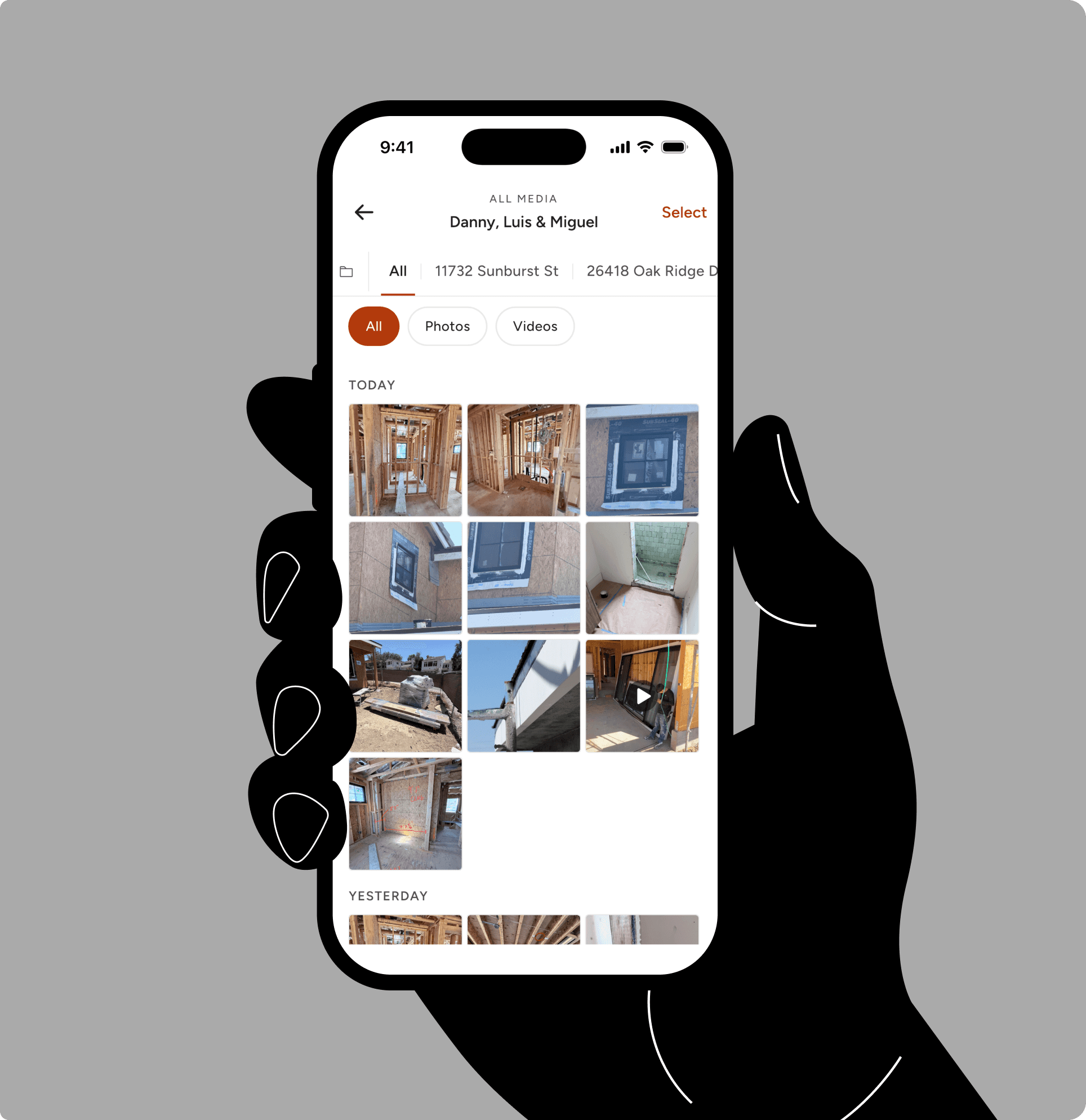
You already have the relationships. Walkie keeps them — and separates the work. Inside each conversation, every job gets its own feed, so messages, photos, decisions, and lists stay with the project they belong to.

Organized by job

One conversation. Four jobs. Four organized records — not one endless thread.

You already have the relationships. Walkie keeps them — and separates the work. Inside each conversation, every job gets its own feed, so messages, photos, decisions, and lists stay with the project they belong to.

Organized by job

One conversation. Four jobs. Four organized records — not one endless thread.

You already have the relationships. Walkie keeps them — and separates the work. Inside each conversation, every job gets its own feed, so messages, photos, decisions, and lists stay with the project they belong to.

The snowball effect

The cost of a missed detail.

A decision gets made on a call between the site and the office — and nobody writes it down. Two weeks later the tile is laid to the old plan, three trades are waiting on the redo, and the go-back comes out of your margin. Walkie Pro gives those same conversations structure, organized by job, with a shared record of what was decided.

The snowball effect

The cost of a missed detail.

A decision gets made on a call between the site and the office — and nobody writes it down. Two weeks later the tile is laid to the old plan, three trades are waiting on the redo, and the go-back comes out of your margin. Walkie Pro gives those same conversations structure, organized by job, with a shared record of what was decided.

The snowball effect

The cost of a missed detail.

A decision gets made on a call between the site and the office — and nobody writes it down. Two weeks later the tile is laid to the old plan, three trades are waiting on the redo, and the go-back comes out of your margin. Walkie Pro gives those same conversations structure, organized by job, with a shared record of what was decided.

Smart follow-ups

Close every loop.

Mark any message “waiting on me” or “waiting on them,” and it stays front-and-center until it's resolved. Your follow-up list is private to you — no manager dashboard, no one watching over your shoulder. Stop treating unread texts as a to-do list.

Smart follow-ups

Close every loop.

Mark any message “waiting on me” or “waiting on them,” and it stays front-and-center until it's resolved. Your follow-up list is private to you — no manager dashboard, no one watching over your shoulder. Stop treating unread texts as a to-do list.

Smart follow-ups

Close every loop.

Mark any message “waiting on me” or “waiting on them,” and it stays front-and-center until it's resolved. Your follow-up list is private to you — no manager dashboard, no one watching over your shoulder. Stop treating unread texts as a to-do list.

Integrated lists

From conversation to execution.

Never let requirements get buried in a thread. Build and assign tasks directly within your project discussions. Track progress in real-time from one centralized, bird’s-eye view.

Integrated lists

From conversation to execution.

Never let requirements get buried in a thread. Build and assign tasks directly within your project discussions. Track progress in real-time from one centralized, bird’s-eye view.

Integrated lists

From conversation to execution.

Never let requirements get buried in a thread. Build and assign tasks directly within your project discussions. Track progress in real-time from one centralized, bird’s-eye view.

The permanent audit trail

Your project’s memory.

Conversations, photos, lists, and call records stay organized by job — and stay retrievable long after the job wraps. When memories differ, everyone goes back to the same original record. Clarity without blame.

The permanent audit trail

Your project’s memory.

Conversations, photos, lists, and call records stay organized by job — and stay retrievable long after the job wraps. When memories differ, everyone goes back to the same original record. Clarity without blame.

The permanent audit trail

Your project’s memory.

Conversations, photos, lists, and call records stay organized by job — and stay retrievable long after the job wraps. When memories differ, everyone goes back to the same original record. Clarity without blame.

Recorded call · Shared with all participants

Everyone on the call gets the same record.

Recording is clear, every time.

Walkie calls are recorded, and the call screen says so before you connect. No fine print, no surprises.

Equal access, always.

Every participant receives the same recording, transcript, and summaries. There is no version of the record that only one side can see.

The original audio is kept.

AI summaries can make mistakes — when a detail matters, check it against the recording itself.

Pricing

Free for the field. Pro for project memory.

Free

$0 / month

30 min · 5 questions

30 min · 5 questions

For everyone on the job. Your crew never hits a paywall to work with you.

Starter

$6 / user / month

100 min · 15 questions

For a couple of active jobs. Everything in Free, with room to lean on it.

Pro

$25 / user / month

250 min · 30 questions

250 min · 30 questions

For the person running the jobs. A separate summary for every job on the call.

Elite

$99 / user / month

1,000 min · 75 questions

For coordinators calling all day. Everything in Pro, with the most room.

No surprise overages. If a call crosses your remaining allowance, Walkie finishes processing that call in full, then pauses processing until next month. Move up a plan or add a capacity pack any time to pick it back up mid-month.

Compare all plans

Frequently asked questions

Common questions, clear answers.

Common questions, clear answers.

Common questions, clear answers.

How is Walkie Pro different from standard messaging apps?

Are Walkie calls really recorded? Who can hear them?

Is this employee monitoring?

Do my subcontractors and trades need to pay for an account?

What if nobody else in my network is on it yet?

What if the AI gets something wrong?

Can I access my project records after a job ends?

Is my project data private?

What does Walkie Pro cost?

I already use Buildertrend, Procore, or CompanyCam. Do I need this?

Get started

Construction communication, organized by job.

Start with the collaborator you call most. Connect one active job, make one call, and see the shared record for yourself.

Free for the field. Project-ready in 60 seconds.

Watch How It Works — 60 seconds

Get started

Construction communication, organized by job.

Start with the collaborator you call most. Connect one active job, make one call, and see the shared record for yourself.

Free for the field. Project-ready in 60 seconds.

Watch How It Works — 60 seconds

Get started

Construction communication, organized by job.

Start with the collaborator you call most. Connect one active job, make one call, and see the shared record for yourself.

Free for the field. Project-ready in 60 seconds.

Watch How It Works — 60 seconds